|
|
| Line 1: |
Line 1: |
| [[CDB|Main]] / [[:Category:Structures|Structures]] / [[:Category:Walls|Walls]] / '''{{PAGENAME}}'''
| | {{Template:Woodenwall |
| {{itemBox
| |
| |image=Timber_framed_wall.jpg | | |image=Timber_framed_wall.jpg |
| |name='''{{PAGENAME}}''' | | |examine=You see a wall. |
| |active=[[Mallet]] or [[Hammer]]
| | |timbered=yes |
| |passive=[[Wall plan]]
| | |babel=T |
| |groupM=Build > '''{{PAGENAME}}'''
| |
| |materials=*5x [[Wooden beam]]
| |
| *20x [[Clay]]
| |
| *10x [[Mixed grass]]
| |
| |result=* '''{{PAGENAME}}'''
| |
| |skill=Carpentry
| |
| |improveItem=Planks | |
| |note=* You must have 1 wooden beam in inventory to build the wall. | |
| * The order of material is wooden beams, 10 grass and clay then the remaining 10 clay.
| |
| }} | | }} |
| == Description ==
| |
| ''Material timber framed You see a wall.''
| |
|
| |
| A solid wall for a [[timber framed house]].
| |
|
| |
| == Modifying ==
| |
| * You can turn walls to suit your needs.
| |
|
| |
| == Repairing and improving ==
| |
| * Any [[damage]] must be [[Repairing|repair]]ed on the walls with a [[plank]] before [[improving]] it.
| |
| * Activate a plank, right-click the wall, and select "Repair" or "Improve".
| |
| * The effective [[quality]] of the plank is affected by its [[damage]] and the [[player]]'s [[carpentry]] skill.
| |
| * 1 plank will repair up to 10 damage depending on quality and repairing skill.
| |
|
| |
| == Notes ==
| |
| * There are also the [[Stone house wall|stone]] and [[Wooden house wall|wood]] versions.
| |
|
| |
|
| [[Category:Walls]] | | [[Category:Walls]] |
| [[Category:Babel/T]] | | [[Category:Babel/T]] |
Main / Structures / Walls / Timber framed wall
<templatestyles src="InfoTable/styles.css" />
Timber framed wall
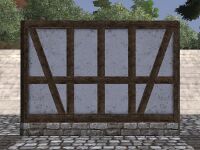 A Timber framed wall A Timber framed wall
|
|
|
|
|
|
|
|
|
- You must have 1 wooden beam in inventory to build the wall
- The order of material is wooden beams, 10 grass and clay, then the remaining 10 clay.
|
Description
You see a wall.
Creation
Modifying
- You can turn walls to suit your needs by right-clicking them, and selecting Rotate wall.
Improving
- You must repair any damage on the walls with a plank before improving it.
- Activate a plank, right-click the wall and select Repair or Improve.
- The effective quality of the plank is affected by its damage and your Carpentry skill, it must be higher than the wall's current quality.
